
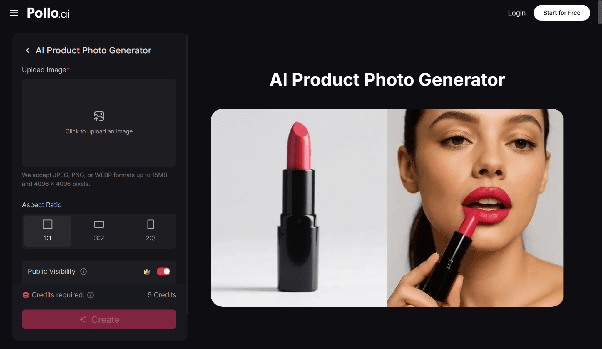
AI Product Photo Generator: How to Create Professional Product Images Without a Studio
Product imagery is one of the highest-leverage assets in any e-commerce operation, and one of the most expensive to produce at scale. The numbers behind this are well-documented: product listings with professional photography convert significantly better than those with amateur shots, lifestyle imagery outperforms plain white backgrounds in most categories, and maintaining visual consistency across a growing catalog gets increasingly difficult as a business scales.
The traditional solution booking studio time, coordinating photographers, managing post-production works but doesn't scale gracefully. A small catalog launch is manageable. A seasonal refresh across hundreds of SKUs is a logistical and financial challenge that most small and mid-sized brands aren't equipped to handle efficiently. That's before you factor in the iteration cycles when creative direction changes or a new channel requires different formats.
AI product photography has matured to the point where it addresses this problem practically, not just theoretically. The question for brands and marketers in 2026 isn't whether the technology works, it's how to integrate it into a production workflow that produces consistent, professional output at the speed and cost that e-commerce actually demands.
What an AI Product Photo Generator Actually Delivers
The core capability is generating professional-quality product images from source photography applying backgrounds, placing products in lifestyle contexts, adjusting lighting and composition, and producing the variety of formats that different channels and use cases require without traditional post-production overhead or studio setups.
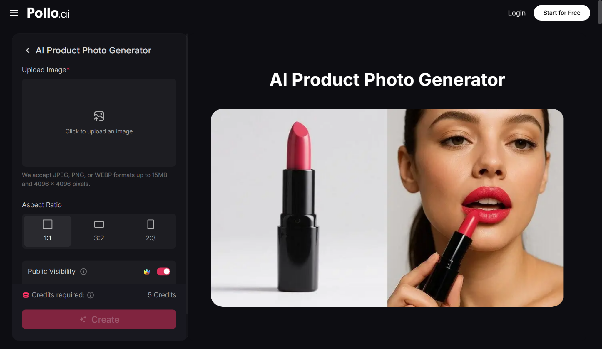
Pollo AI's dedicated AI Product Photo Generator inside its Commerce Studio goes beyond basic background removal and replacement, which has been a commodity feature for some time. The studio is designed around the full range of product visual content that e-commerce and marketing teams actually need: lifestyle placement that puts products in contextually appropriate environments, model photography that generates human subjects interacting with or wearing products, poster-format compositions for promotional and advertising use, and the background and lighting control that creates brand consistency across a catalog.
For brands managing product content across multiple channels — direct-to-consumer site, marketplaces, paid social, email — the ability to generate format-specific variations from a single source image without manual intervention for each output type changes the economics of content production meaningfully. Pollo AI's shared credit system means this sits within the same platform as its broader image and video generation tools, so a product image produced in the Commerce Studio can flow directly into a marketing video workflow or ad creative without leaving the platform.
The Multi-Model Advantage for Visual AI Work
Users of multi-model AI chat platforms like ChatSonic will recognize a familiar architectural logic in how Pollo AI approaches creative AI. Just as accessing GPT-4, Claude, and Gemini through a single interface gives you the flexibility to match the model to the task rather than being constrained by a single model's strengths, Pollo AI's Creative Studio aggregates multiple leading image and video generation models under one interface.
This matters for product photography specifically because different generation models have distinct strengths across different product categories and visual styles. A model that handles apparel and textile products particularly well may be less optimized for reflective surfaces or complex product compositions. Having access to multiple models within the same platform on shared credits means you can route different product types to the generation approach that produces the strongest output for each, rather than accepting a single model's ceiling as the limit of what's achievable.
For AI-native users who already think about tool selection in terms of matching the right model to the right task, this is familiar reasoning applied to the visual content production layer.
Commerce Studio: The Full Product Visual Workflow
Effective product visual content production isn't a single step it's a workflow that spans multiple output types across the customer journey. Top-of-funnel content needs to show the product in aspirational lifestyle contexts that communicate brand values and trigger interest. Mid-funnel content needs detailed, accurate product representation that supports purchase decisions. Promotional content needs poster-ready compositions that communicate offers and drive action in crowded advertising environments.
Pollo AI's Commerce Studio is designed to support this full workflow rather than solving for a single output type. Product image generation, lifestyle placement, model photography, and e-commerce poster creation all operate within the same studio environment, with consistent output quality and shared credits that make it practical to produce across all of these content types without maintaining separate tool relationships for each.
For e-commerce brands that also run paid social campaigns, the connection between the Commerce Studio and Pollo AI's Marketing Studio is worth understanding. Product imagery produced in one studio flows naturally into ad creative production in the other — which means the visual consistency between your product listings and your advertising content is a workflow outcome rather than something that requires manual coordination.
Remaker AI and Evaluating the Landscape
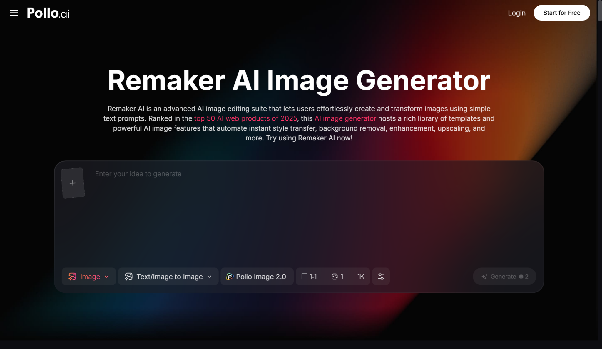
Understanding the available options helps brands make more grounded tooling decisions. Remaker AI offers AI-powered image editing and face-swapping capabilities that suit certain product content workflows, particularly for brands that need to adapt existing imagery rather than generate new scenes from scratch. For teams whose primary need is editing and retouching existing photography rather than generating new product contexts, it's a legitimate option worth evaluating alongside generative platforms.
The distinction between AI image editing and AI image generation is a useful frame for this evaluation. Editing tools optimize for working with what you already have — refining, adapting, and correcting existing photography. Generation tools optimize for producing new visual content from a product source — new environments, new contexts, new compositions that go beyond what the original shoot captured. Most e-commerce brands need both capabilities at different points in their content production cycle, which is why understanding each tool's primary orientation helps you allocate work appropriately between them.
Building a Scalable Product Visual Content Operation
The brands getting the most consistent value from AI product photography tools in 2026 have typically made the same structural shift: they've moved from treating AI image generation as a tool for solving individual production problems to treating it as the default production method for specific content categories, with traditional photography reserved for the hero creative work that genuinely requires it.
That means identifying which product content types in your current workflow are best suited to AI generation typically background and lifestyle variations, format adaptations for different channels, and catalog refreshes and building a consistent production process around those specific applications. The result is a content operation where AI handles the volume work efficiently, freeing the production budget and human creative attention for the work that actually differentiates the brand visually.
For e-commerce teams managing growing catalogs with limited production resources, that reallocation is where AI product photography delivers its most durable business value — not as a cost-cutting measure that compromises quality, but as a production architecture that maintains quality while dramatically expanding what's achievable within a given budget and timeline.